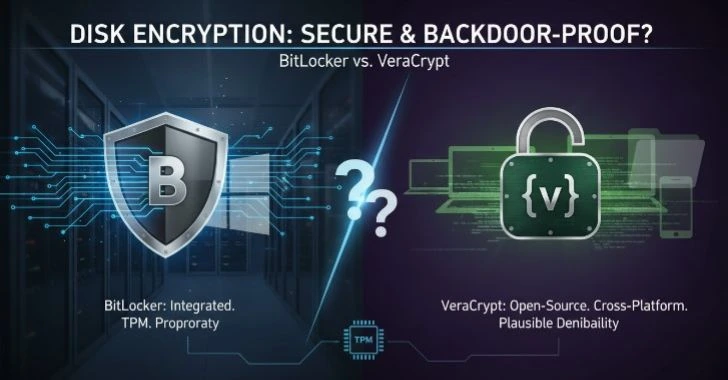
Data breaches and cyber threats are becoming increasingly common, protecting your personal files has never been more important. Encryption is one of the most effective ways to safeguard sensitive information, ensuring that only authorized users can access your files. Whether you’re protecting financial documents, private emails, or personal photos, encrypting your files adds an extra layer of security and privacy.
The process of encrypting your personal files, offering simple, actionable steps to help you keep your data safe from prying eyes. From choosing the right encryption software to understanding best practices, we’ll equip you with the knowledge to enhance your digital security and maintain peace of mind.
Why Encrypting Personal Files is Essential for Security

Digital environment, personal files are no longer confined to a single device. They move across laptops, smartphones, cloud storage, USB drives, and email attachments. This constant movement increases exposure and makes data protection a real necessity, not just a technical option.
Encryption acts as a protective shield around your files. Instead of storing data in readable form, it transforms it into an unreadable format that can only be accessed with the correct key or password. Even if someone gains access to your device or storage location, encrypted files remain inaccessible without proper authorization.
Another critical factor is the growing volume of sensitive personal information stored digitally financial records, identification documents, private photos, and confidential work files. Losing control of such data can lead to serious consequences, including identity misuse and privacy violations.
Encryption also supports compliance with global privacy expectations. Many regions now emphasize data protection standards, making encryption a responsible practice for individuals as well not just organizations.
Most importantly, encryption provides peace of mind. Whether your device is lost, stolen, or shared, your files remain secure. In a world where digital risks are constantly evolving, encrypting personal files is one of the most effective ways to stay protected.
How Encryption Protects Your Personal Data and Privacy
At its core, encryption works by converting readable data (plaintext) into an unreadable format (ciphertext). This transformation is performed using complex mathematical algorithms that ensure only authorized users can reverse the process.
The Role of Encryption Keys
Encryption relies on keys, which act like digital locks and keys combined. Without the correct key, the encrypted data remains meaningless.
There are two main approaches.
- Symmetric encryption uses a single key for both locking and unlocking data
- Asymmetric encryption uses two keys a public key for encryption and a private key for decryption
Each method serves different purposes, but both ensure that unauthorized access becomes nearly impossible.
Data Protection in Real-World Scenarios
Encryption protects your data in several everyday situations.
- When storing files on your device
- When uploading files to cloud storage
- When transferring files over the internet
- When backing up data to external drives
Even if someone intercepts or accesses your files during these processes, they cannot interpret the content without the decryption key.
Privacy Beyond Security
Encryption is not just about preventing unauthorized access it’s also about maintaining personal privacy. It ensures that your private documents, communications, and records remain visible only to you and trusted recipients.
This level of control is especially important in an age where personal data is constantly being shared, stored, and processed across multiple platforms.
Step-by-Step Guide to Encrypting Files for Extra Protection

Encrypting your files is one of the best ways to ensure they stay private and secure from unauthorized access. Whether you’re storing sensitive documents on your computer, cloud storage, or external drives, adding encryption gives you peace of mind knowing your data is protected.
Step 1: Identify Sensitive Files
Start by reviewing your files and identifying what needs protection.
focus on.
- Personal identification documents
- Financial records
- Private photos or videos
- Work-related confidential files
Not every file needs encryption, so prioritizing sensitive data helps maintain efficiency.
Step 2: Choose an Encryption Method
Decide how you want to encrypt your files.
Options include
- Built-in operating system encryption features
- Password-protected archives
- Encrypted storage containers
Choose a method that balances security and ease of use.
Step 3: Create a Strong Password
A strong password is essential. It should include.
- A mix of uppercase and lowercase letters
- Numbers and special characters
- At least 12–16 characters in length
Avoid predictable phrases. A weak password can undermine even the strongest encryption.
Step 4: Encrypt the Files
Apply encryption using your chosen method. This process converts your files into a secure format that cannot be accessed without the correct credentials.
Step 5: Store and Backup Securely
After encryption, store your files in a secure location.
Consider.
- Keeping backups in multiple locations
- Using secure storage devices
- Ensuring backups are also encrypted
Redundancy is key. losing access to your encrypted files can mean permanent data loss.
Best Methods to Encrypt Personal Files Safely
When it comes to encrypting your personal files, choosing the right method is crucial to ensure both security and ease of use. With so many encryption options available, it can be overwhelming to figure out which one is best suited to your needs.
Full Disk Encryption
This method encrypts the entire storage device. It ensures that all data is protected automatically, without requiring individual file encryption.
Best for.
- Personal computers
- Laptops with sensitive data
File-Level Encryption
This approach encrypts specific files or folders. It provides more control and flexibility.
best for.
- Selective data protection
- Sharing encrypted files
Archive Encryption
Files are compressed into a single archive and protected with a password. This method is useful for organizing and securing multiple files at once.
Best for.
- Sending files securely
- Managing grouped data
Cloud-Based Encryption
Some storage services offer encryption features that protect files before or after upload.
best for.
- Remote access
- Cross-device synchronization
Each method has its strengths, and combining them can provide layered security for maximum protection.
Top Encryption Tools for Securing Personal Files

When it comes to protecting your sensitive data, using the right encryption tool can make all the difference. With numerous options available, selecting the best tool for securing your personal files is essential to ensuring that your information stays safe from attacker, unauthorized access, or accidental breaches.
Built-In System Encryption
Most modern operating systems include native encryption features. These are often the safest starting point because they are.
- Regularly updated
- Integrated with the system
- Easy to configure
Password-Protected File Formats
Some file formats allow you to add password protection directly. This provides a simple way to secure documents without additional setup.
Encrypted Storage Containers
These create secure digital “vaults” where files can be stored and accessed only with proper authentication.
Key Tip: Always rely on well-established, reputable encryption methods and avoid unknown or unverified solutions.
Common File Encryption Mistakes to Avoid
While encrypting your files is a powerful way to protect your data, it’s easy to make mistakes that could undermine your security efforts. From using weak passwords to neglecting to back up encrypted files, these common errors can leave your personal information vulnerable.
Using Weak Passwords
A simple or reused password can make encrypted files vulnerable. Always use unique and complex passwords.
Forgetting Backup Access
If you lose your encryption key or password, your files may become permanently inaccessible. Keep a secure backup of your credentials.
Encrypting After Exposure
Encryption should be applied before storing or sharing files, not after they have already been exposed.
Ignoring Updates
Encryption systems rely on up-to-date security practices. Outdated methods can weaken protection over time.
Overlooking Metadata
Even if file content is encrypted, file names and metadata may still reveal information. Consider renaming files to maintain privacy.
Understanding the Benefits of File Encryption for Privacy
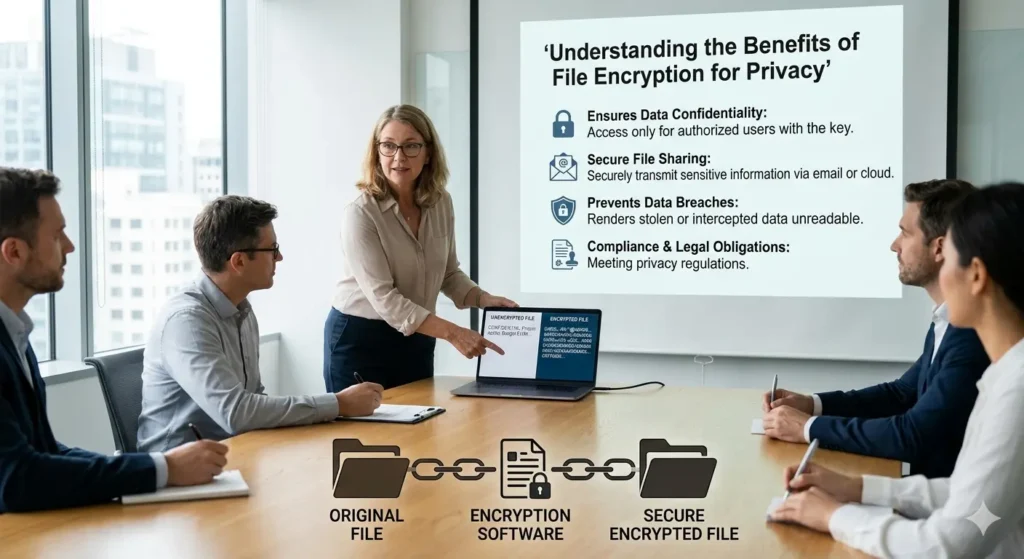
File encryption is one of the most effective ways to safeguard your personal data and ensure your privacy in an increasingly digital world. converting your files into unreadable code, encryption protects them from unauthorized access, even if your device or cloud storage is compromised.
Control Over Personal Data
Encryption ensures that only authorized individuals can access your files, giving you complete control over your information.
Protection Against Data Loss Consequences
If your device is lost or accessed by others, encrypted files remain safe and unreadable.
Safe Data Sharing
You can share encrypted files confidently, knowing that only the intended recipient can access them.
Long-Term Data Security
Encrypted files remain protected even as storage environments change, making encryption a future-proof solution.
How to Choose the Right Encryption Method for Your Files
Selecting the right encryption method for your files is essential to ensuring the balance between security and usability. With a variety of encryption options available, each offering different levels of protection and complexity, it can be tricky to determine the best fit for your needs.
Consider File Sensitivity
Highly sensitive files require stronger encryption methods, while less critical files may need simpler protection.
Evaluate Ease of Use
Choose a method that fits your comfort level. Complex systems are only effective if you can use them consistently.
Think About Accessibility
If you need frequent access, select a method that allows quick and secure retrieval.
Balance Security and Performance
Stronger encryption may slightly impact performance, but the trade-off is usually worth it for sensitive data.
Protecting Your Sensitive Information: File Encryption Explained
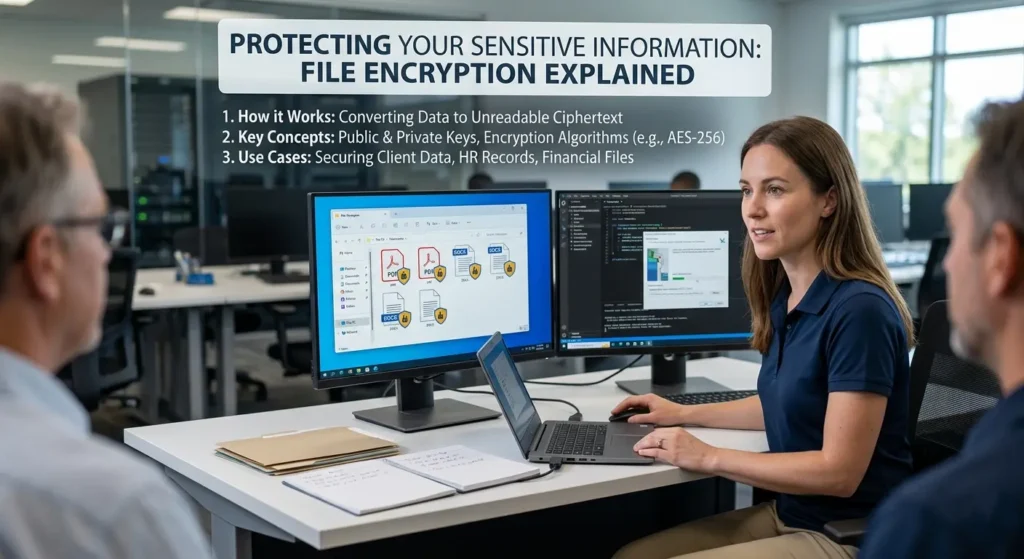
Protecting sensitive information is more important than ever. File encryption is a powerful tool that helps keep your personal data safe from unauthorized access by turning it into unreadable code. Whether you are safeguarding financial records, personal documents, or confidential business files, encryption ensures that only those with the right decryption key can access your data.
Data Lifecycle Protection
Encryption should be applied at every stage.
- Creation
- Storage
- Sharing
- Backup
This ensures continuous protection throughout the file’s lifecycle.
Layered Security Approach
Encryption works best when combined.
- Strong passwords
- Secure storage practices
- Regular backups
This layered approach creates multiple barriers against unauthorized access.
User Responsibility
Encryption is powerful, but it depends on how carefully it is implemented. Proper management of passwords and keys is essential.
Advanced Tips for Encrypting Personal Files More Effectively
While basic encryption methods provide solid protection, taking your file encryption strategy to the next level can add even greater security to your sensitive data. For those looking to enhance their encryption practices, there are advanced techniques and tools that offer stronger protection & more control over your files.
Use Multi-Layer Encryption
Applying more than one encryption method adds an extra level of security. for example, encrypting files before placing them in an encrypted container.
Regularly Update Passwords
Changing passwords periodically reduces the risk of unauthorized access over time.
Separate Encryption Keys
Avoid storing encryption keys in the same location as the encrypted files. This minimizes risk if one location is compromised.
Monitor Access Patterns
Keep track of when and how your files are accessed. Unusual activity can indicate a need to strengthen security.
Encrypt Backups
Backups are often overlooked but can contain the same sensitive data. Always ensure backups are encrypted as well.
Conclusion:
Encrypting personal files is no longer optional it’s a fundamental step in protecting your digital life. As data becomes more valuable and widely shared, the importance of keeping it secure continues to grow.
Understand how encryption works, choosing the right methods, and avoiding common mistakes, you can build a strong defense around your personal information. Whether you are protecting financial records, private documents, or everyday files, encryption ensures that your data remains safe, private, and under your control.
The key takeaway is simple: security starts with proactive action. Encrypt your files today, and you’ll significantly reduce the risks associated with digital data exposure tomorrow.