For Linux users and system administrators, squeezing every ounce of performance from your systems is both a challenge and a necessity. Whether you are running servers, desktops, or high-performance applications, advanced system tuning & benchmarking can reveal bottlenecks, optimize resource usage, & boost overall efficiency. proven strategies, tools, and tips to fine tune your Linux environment and measure performance gains accurately helping you get the most out of your hardware and deliver smoother, faster computing experiences.
Introduction to Linux Performance Optimization
Linux has earned its reputation as a highly efficient, flexible, and performance-oriented operating system, but out-of-the-box configurations are rarely optimized for every workload. Whether you’re running a web server, database engine, development environment, or virtualization host, fine-tuning your system can unlock significant performance gains.
Performance optimization is not about blindly increasing numbers it is about understanding how system resources interact and aligning them with your workload. CPU scheduling, memory allocation, disk throughput, and network latency all contribute to the overall responsiveness of a Linux system.
A well-optimized Linux system can deliver.
- Lower latency in applications
- Improved throughput under heavy load
- Reduced resource waste
- Better stability and predictability
Before making changes, always establish a baseline. This allows you to measure improvements accurately and avoid guesswork.
Example baseline commands.
uptime
top
free -m
iostat -xz 1 3
vmstat 1 5
These commands provide a snapshot of system load, CPU usage, memory consumption, and I/O activity. Optimization without measurement is just assumption.
Understanding System Bottlenecks in Linux

Every performance issue originates from a bottleneck. Identifying it correctly is the most critical step in optimization. Even the most powerful Linux systems can experience slowdowns if underlying bottlenecks go unnoticed.
Identifying and understanding these performance blockers whether they are CPU, memory, disk, or network-related is essential for effective system tuning.
Types of Bottlenecks
CPU-bound systems
- High CPU usage
- Long process wait times
- Load average consistently higher than CPU cores
Memory-bound systems
- Frequent swapping
- High page faults
- Slow application response
Disk I/O bottlenecks
- High I/O wait (
waintop) - Slow read/write operations
- Queue buildup
Network bottlenecks
- Packet drops
- High latency
- Limited throughput
Diagnosing Bottlenecks
Use these commands to identify where the issue lies.
top
htop
vmstat 1
iostat -xz 1
sar -u 1 5
Key indicators.
| Metric | What It Means |
|---|---|
| Load Average | Overall system demand |
| %wa (I/O wait) | Disk bottleneck indicator |
| Swap usage | Memory pressure |
| Run queue (r) | CPU contention |
Example Interpretation
If top shows.
- CPU idle < 10%
- Load average > number of cores
→ CPU is the bottleneck
If iostat shows.
- %util close to 100%
- High await time
→ Disk is the bottleneck
Correct diagnosis ensures you optimize the right component.
Advanced CPU Tuning Techniques for Linux

Maximizing CPU performance is key to getting the most out of your Linux system, whether for servers, desktops, or high-performance workloads. Advanced CPU tuning techniques like adjusting processor scheduling, optimizing frequency scaling, and managing core utilization can significantly boost efficiency & responsiveness.
CPU Governor Optimization
Linux uses CPU frequency scaling governors.
Check current governor.
cat /sys/devices/system/cpu/cpu0/cpufreq/scaling_governorSet to performance mode.
echo performance | sudo tee /sys/devices/system/cpu/cpu*/cpufreq/scaling_governorPerformance mode keeps CPUs at maximum frequency, reducing latency.
Process Scheduling Optimization
Adjust process priority using nice and renice.
nice -n -10 ./application
renice -n -5 -p 1234
Lower nice value = higher priority.
CPU Affinity (Binding Processes to Cores)
taskset -c 0,1 ./applicationThis reduces context switching and improves cache usage.
Disable Unnecessary CPU Interrupts
Check interrupts.
cat /proc/interruptsBalance interrupts.
irqbalanceOr manually assign interrupts for high-performance setups.
CPU Performance Comparison
| Setting | Latency | Throughput | Power Usage |
|---|---|---|---|
| Powersave | High | Low | Low |
| Ondemand | Medium | Medium | Medium |
| Performance | Low | High | High |
For servers, “performance” mode is often the best choice.
Memory Optimization Strategies

Efficient memory management is crucial for keep Linux systems responsive & stable, especially under heavy workloads. By implementing effective memory optimization strategies such as tuning caching, adjusting swap usage, and monitoring resource-hungry processes you can reduce bottlenecks & maximize system performance.
Adjust Swappiness
Swappiness controls how aggressively Linux uses swap.
Check current value.
cat /proc/sys/vm/swappinessSet lower value (recommended for servers):
sysctl vm.swappiness=10Lower values prioritize RAM usage over swap.
Clear Cache (For Testing)
sync; echo 3 > /proc/sys/vm/drop_cachesUse HugePages
HugePages reduce overhead for memory-intensive applications.
echo 128 > /proc/sys/vm/nr_hugepagesMonitor Memory Usage
free -h
vmstat 1
Memory Optimization Impact
| Strategy | Effect |
|---|---|
| Lower swappiness | Reduced disk swapping |
| HugePages | Faster memory access |
| Cache tuning | Improved I/O performance |
Efficient memory tuning directly reduces system lag.
Disk I/O and Storage Performance Improvements
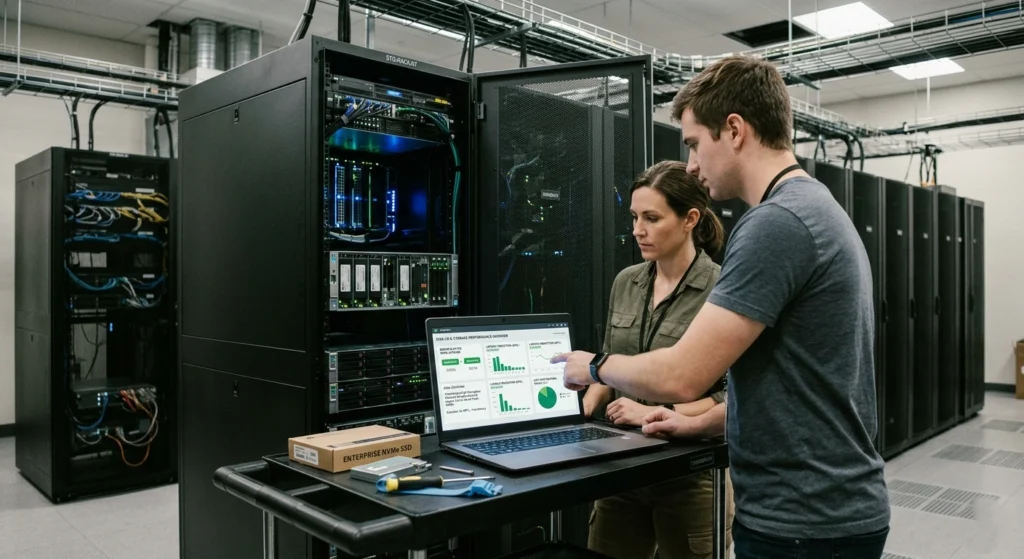
Disk I/O and storage performance are often the hidden factors that slow down Linux systems, especially under heavy workloads or with large data sets. Optimizing how your system reads and writes data can dramatically improve responsiveness and overall efficiency.
Check Disk Performance
iostat -xz 1Key metrics.
await→ latency%util→ disk usage
Choose the Right I/O Scheduler
List available schedulers.
cat /sys/block/sda/queue/schedulerSet scheduler.
echo mq-deadline > /sys/block/sda/queue/schedulerRecommended options:
mq-deadline→ balanced performancenone→ best for SSDs
Optimize Mount Options
Edit /etc/fstab.
noatime,nodiratimeThis reduces unnecessary write operations.
Enable TRIM for SSD
fstrim -avDisk Performance Comparison
| Optimization | Read Speed | Write Speed | Latency |
|---|---|---|---|
| Default | Medium | Medium | Medium |
| noatime | Medium | High | Lower |
| SSD + TRIM | High | High | Low |
Storage tuning can drastically improve application responsiveness.
Network Performance Tuning Tips
Network performance can make or break the efficiency of Linux systems, especially in servers, cloud environments, or high-traffic networks. Proper tuning ensures faster data transfer, lower latency, & more reliable connectivity.
Adjust TCP Buffer Sizes
sysctl -w net.core.rmem_max=16777216
sysctl -w net.core.wmem_max=16777216
Enable TCP Fast Open
sysctl -w net.ipv4.tcp_fastopen=3Optimize Network Queue Length
ifconfig eth0 txqueuelen 10000Monitor Network Performance
ss -s
netstat -i
Network Optimization Impact
| Setting | Latency | Throughput |
|---|---|---|
| Default | Medium | Medium |
| Tuned Buffers | Low | High |
| Fast Open | Lower | Higher |
Fine-tuned network settings improve connection efficiency and speed.
Benchmarking Linux Systems: Tools and Best Practices
Benchmarking is a critical step in understanding the true performance of your Linux systems. measuring CPU, memory, disk, and network performance, you can identify bottlenecks, validate optimizations, & ensure your system runs at its full potential.
CPU Benchmark
sysbench cpu --cpu-max-prime=20000 runMemory Benchmark
sysbench memory runDisk Benchmark
dd if=/dev/zero of=testfile bs=1G count=1 oflag=dsyncSample Benchmark Table
| Test Type | Result Before | Result After |
|---|---|---|
| CPU | 1200 ops/s | 1800 ops/s |
| Memory | 800 MB/s | 1200 MB/s |
| Disk | 150 MB/s | 400 MB/s |
Best Practices
- Always test under realistic workload conditions
- Run tests multiple times
- Compare before vs after changes
Benchmarking validates your optimization efforts.
Automating Performance Monitoring and Tuning
Manually tracking system performance can be time consuming & error prone, especially on multiple Linux servers. Automating performance monitoring and tuning not only saves time but also ensures your systems stay optimized in real time.
Use Cron Jobs
Schedule monitoring.
crontab -eExample
*/5 * * * * vmstat >> /var/log/performance.logSystem Monitoring Script Example
#!/bin/bash
date >> report.txt
uptime >> report.txt
free -m >> report.txt
iostat >> report.txt
Log Analysis
grep "cpu" /var/log/syslogBenefits of Automation
- Continuous monitoring
- Early detection of issues
- Historical performance tracking
Automation transforms reactive tuning into proactive optimization.
Common Challenges and How to Avoid Them
Even with advanced Linux tuning and automated performance monitoring, challenges can still arise that impact system efficiency. from misconfigured settings to overlooked bottlenecks, these common challanges can slow down your systems or lead to inconsistent results.
Over-Optimization
Changing too many parameters at once can break system stability.
Solution: Change one setting at a time.
Ignoring Baselines
Without a baseline, improvements cannot be measured.
Solution: Always benchmark before tuning.
Misidentifying Bottlenecks
Optimizing CPU when disk is the issue wastes effort.
Solution: Diagnose first.
Unsafe Kernel Tweaks
Random kernel parameter changes can degrade performance.
Solution: Only adjust well-understood parameters.
Lack of Monitoring
Without monitoring, problems go unnoticed.
Solution: Automate performance tracking.
Conclusion: Maximizing Linux Performance Effectively
Maximizing Linux performance requires a thoughtful combination of system tuning, resource monitoring, and ongoing optimization. applying advanced CPU, memory, disk, and network strategies along with automated monitoring and benchmarking you can unlock your system full potential and maintain peak efficiency.
- Understanding system behavior
- Identifying real bottlenecks
- Applying targeted optimizations
- Validating changes with benchmarks
From CPU tuning and memory management to disk and network optimization, every component contributes to overall performance. When combined with automation and monitoring, these techniques create a system that is fast, stable, and scalable.
The most effective approach is simple: measure, optimize, verify, and repeat.