Online privacy has become more important than ever. Every day, we share personal information across various platforms, from social media to online shopping, leaving ourselves vulnerable to cyber threats and data breaches. Whether you’re a beginner or simply looking to enhance your digital security, understanding how to protect your data is crucial.
10 essential tips that will help you secure your personal information and maintain control over your digital footprint. From using strong passwords and enabling two-factor authentication to recognizing the dangers of public Wi-Fi and knowing which privacy-focused tools to use, these tips are designed to be easy to follow and effective for anyone looking to boost their online security.
Introduction to Online Privacy
In a world where digital interactions have become a daily necessity, online privacy is no longer a technical concern it’s a personal responsibility. Every click, search, message, and transaction contributes to a growing pool of personal data that is constantly being collected, stored, and analyzed. Most users are unaware of how much information they share or how easily it can be accessed, misused, or exploited.
The Reality of Data in the Digital Age
When you use websites, apps, or online services, you’re not just consuming content you’re also producing valuable data.
This data includes.
- Your browsing habits
- Purchase history
- Location data
- Personal preferences
- Social interactions
Organizations use this data to improve services and target advertisements, but it also creates a digital identity that can be tracked and analyzed. If this information falls into the wrong hands, it can lead to identity theft, fraud, or manipulation.
Why Online Privacy Matters More Than Ever
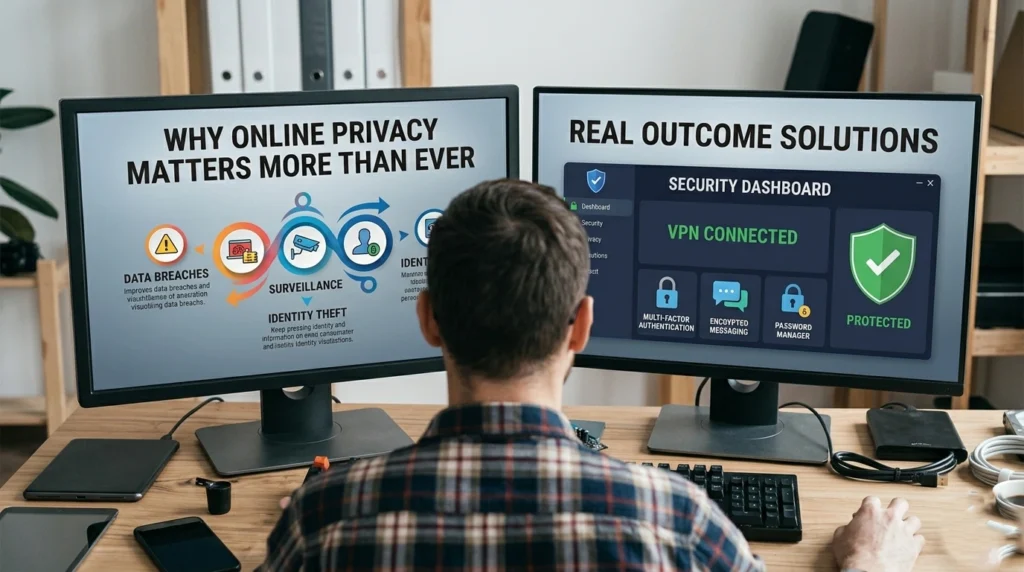
Cyber threats are no longer limited to large corporations or government systems. Everyday users are now primary targets because of weak security habits and lack of awareness. Attackers rely on human error simple mistakes like reusing passwords or clicking unknown links.
“The biggest risk to your online privacy isn’t sophisticated hacking—it’s everyday negligence.”
Building a Privacy-First Mindset
Online privacy is not about hiding it’s about controlling access to your personal information. By understanding the risks and adopting smart habits, you can significantly reduce your exposure.
This guide will walk you through 10 essential, practical, and deeply explained tips to help you protect your data and maintain strong online privacy in the long run.
Tip 1: Use Strong and Unique Passwords
Despite years of awareness campaigns, password-related breaches continue to dominate cybersecurity incidents. The reason is simple, people prioritize convenience over security. Remembering multiple complex passwords feels difficult, so users tend to reuse or simplify them.
However, this small compromise creates a massive vulnerability. Once a password is exposed in a breach, attackers use automated systems to test it across multiple platforms a method known as credential stuffing.
One weak password can unlock your entire digital life.
How Password Attacks Actually Work
Modern attackers don’t manually guess passwords.
They use tools that.
- Test millions of combinations per second
- Use databases of leaked passwords
- Identify predictable patterns
Data Breach Exploitation
When a website is hacked, login credentials are often leaked. These credentials are then reused to access.
- Email accounts
- Social media
- Banking platforms
What Makes a Password Truly Secure?
A longer password is often more secure than a shorter complex one.
Example.
- Weak: P@ss1
- Strong: Ocean!Skyline!Forest2026
Unpredictability
Avoid.
- Names
- Birthdates
- Common words
Uniqueness Across Platforms
Each account should have a completely different password. This ensures that a single breach doesn’t compromise multiple accounts.
Creating a Practical Password Strategy
Passphrases combine random words and symbols.
- Golden!River!Clouds#89
They are.
- Easier to remember
- Harder to crack
Rotate Passwords When Necessary
You don’t need to change passwords constantly, but you should update.
- After a known breach
- If suspicious activity occurs
The Real Takeaway
“Your password is not just a key it’s the gatekeeper of your digital identity.”
Tip 2: Enable Two-Factor Authentication (2FA)

Even the strongest passwords can be stolen through phishing, malware, or data leaks. This is why relying solely on passwords is no longer considered safe. Two-Factor Authentication (2FA) adds a critical second layer of defense.
It ensures that access requires more than just knowledge it requires possession.
Understanding the Security Layers
2FA works by combining.
- Something you know (password)
- Something you have (device or code)
This dramatically reduces the chances of unauthorized access.
Types of 2FA and Their Effectiveness
- Easy to use
- Widely available
- Less secure due to SIM-related risks
App-Based Authentication
- Generates time-based codes
- Works offline
- Much more secure than SMS
Hardware-Based Authentication
- Physical devices
- Extremely secure
- Commonly used in high-security environments
Why 2FA is a Game-Changer
Even if attackers obtain your password, they cannot access your account without the second factor.
This simple step can block the majority of unauthorized login attempts.
Where to Apply 2FA First
Start with your most sensitive accounts.
- Banking
- Cloud storage
- Social media
A Critical Insight
“2FA turns a single point of failure into a multi-layer defense system.”
Tip 3: Be Cautious with Public Wi-Fi
Public Wi-Fi networks are everywhere cafes, airports, hotels but they come with hidden risks. Most users connect without thinking twice, unaware that these networks are often unsecured and easily exploited.
How Public Wi-Fi Becomes a Threat
Many public networks do not encrypt data, meaning information is transmitted openly.
Fake Hotspots
Attackers create networks with familiar names to trick users into connecting.
Data Interception
Once connected, attackers can monitor.
- Browsing activity
- Login credentials
- Personal communications
Real-World Risks
Using public Wi-Fi for sensitive tasks can expose.
- Bank logins
- Email access
- Payment details
Smart Usage Strategies
Avoid logging into critical accounts.
Verify Networks
Always confirm the official network name.
Turn Off Auto-Connect
Prevent automatic connection to unknown networks.
Key Perspective
“Public Wi-Fi is not private treat it as a shared space with unknown observers.”
Tip 4: Regularly Update Your Software

Many users delay updates because they seem inconvenient. However, updates often include security patches that fix known vulnerabilities.
Ignoring updates leaves your system exposed.
The Lifecycle of a Vulnerability
- A flaw is discovered
- Developers release a patch
- Hackers exploit systems that haven’t updated
Timing matters delays create opportunities for attackers.
What Should Always Be Updated
- Operating systems
- Browsers
- Applications
- Firmware
The Risk of Outdated Systems
Outdated software can lead.
- Malware infections
- Data breaches
- System compromise
Best Practices
- Enable automatic updates
- Restart devices regularly
- Remove unsupported software
Bottom Line
“An updated system is a protected system.”
Tip 5: Limit the Data You Share on Social Media
Social media platforms encourage openness, but every piece of information you share adds to your digital profile.
What seems harmless today can become a vulnerability tomorrow.
How Information Becomes Exploitable
Attackers collect small details.
- Build identity profiles
- Guess passwords
- Answer security questions
Common Oversharing Examples
- Posting location in real-time
- Sharing personal milestones publicly
- Displaying sensitive documents
Smart Sharing Practices
Control Visibility
Set profiles to private.
Think Long-Term
Consider how your post might be used in the future.
Audit Your Content
Regularly review and remove unnecessary posts.
Key Insight
“If it’s online, it’s permanent even if you delete it.”
Tip 6: Use Encrypted Communication Tools
Digital communication is part of everyday life, but not all channels are secure. Without encryption, messages can be intercepted and read.
Understanding End-to-End Encryption
This ensures that.
- Only sender and receiver can read messages
- No third party can access the content
Risks of Unsecured Communication
- Data interception
- Privacy invasion
- Information leaks
When to Prioritize Encryption
- Sharing sensitive data
- Business communication
- Personal conversations
Core Idea
“Encryption ensures your conversations stay yours.”
Tip 7: Monitor Your Digital Footprint
Every action contributes to your digital footprint, whether intentional or not. Your digital footprint is the trail of data you leave behind every time you interact online. This includes the websites you visit, the social media posts you make, the comments you leave, and even the online purchases you make.
Over time, this digital footprint can accumulate, potentially exposing sensitive information to third parties. To protect your privacy, it’s crucial to regularly monitor and manage this footprint. Tools like Google’s Privacy Checkup and Data Brokers can help you identify where your data is being stored or sold.
Why It Matters
Old data can.
- Be misused
- Be rediscovered
- Affect your reputation
Managing Your Online Presence
Regular Searches
Check what appears under your name.
Delete Old Accounts
Remove unused platforms.
Update Privacy Settings
Control visibility of your data.
Final Thought
“Your digital footprint defines your online identity manage it wisely.”
Tip 8: Protect Your Devices with Security Software

Devices store sensitive data, making them prime targets.
Types of Threats
- Malware
- Ransomware
- Spyware
What Security Software Does
- Detect threats
- Block malicious activity
- Protect data
Best Practice
Use layered protection for maximum safety.
Tip 9: Be Mindful of Permissions for Apps and Websites
Apps often request access beyond their needs.
Risks
- Data tracking
- Privacy invasion
Smart Management
- Review permissions
- Disable unnecessary access
Key Rule
“Only allow access that is absolutely necessary.”
Tip 10: Use a Privacy-Focused Search Engine
Search engines collect detailed user data.
Why It Matters
Search history reveals personal behavior.
Benefits of Privacy-Focused Search
- No tracking
- No profiling
Final Insight
“Your searches should remain private.”
Conclusion: Maintaining Strong Online Privacy Habits
Online privacy is a continuous effort, not a one-time task. Maintaining strong online privacy habits is an ongoing effort that extends beyond just following a few tips. As the digital landscape evolves, so do the threats to your personal information.
adopting consistent practices such as using strong, unique passwords, being mindful of what you share on social media, and regularly checking your privacy settings you can ensure your data stays secure. Additionally, staying informed about new privacy tools and technologies, like encrypted messaging apps or VPNs, will help you keep up with emerging threats.
Building Consistent Habits
- Stay updated
- Be cautious
- Review settings regularly
The Power of Awareness
Small actions can prevent major risks.
Final Words
Protecting your data means protecting your identity.
With the right habits, you can confidently navigate the digital world while keeping your personal information secure.