The Apple M4 Max chip represents the next leap in Apple Silicon performance, especially for professionals who rely on powerful machines for creative work, software development, and data‑intensive tasks.
Built into high‑end MacBook Pro and Mac Studio models, the M4 Max combines a high‑core CPU, an advanced multi‑core GPU, and a cutting‑edge unified memory architecture designed to eliminate the bottlenecks often seen in traditional computer memory systems. Unlike conventional PCs where the processor, graphics unit, and other components each maintain their own separate memory pools.
M4 Max uses unified memory a shared pool of high‑speed memory accessible by the CPU, GPU, and Neural Engine alike. This approach not only simplifies how data is accessed and transferred, but also significantly boosts efficiency and responsiveness when handling large files, complex graphics, or simultaneous workflows.
The machine‑learning frameworks
In practical terms, unified memory means professional applications like video editing suites, 3D rendering tools, and machine‑learning frameworks can access the same data rapidly without duplicating it across separate memory spaces. That translates to smoother performance in demanding tasks like 4K/8K video editing, compiling extensive codebases, or training and running large language models all within macOS.
With support for up to 128 GB of unified memory and extremely high memory bandwidth, the M4 Max pushes the limits of what’s possible on a laptop or compact workstation, making it a compelling choice for creators, developers, and power users who need consistent performance under heavy loads.
How macOS Uses Unified Memory on the Apple M4 Max
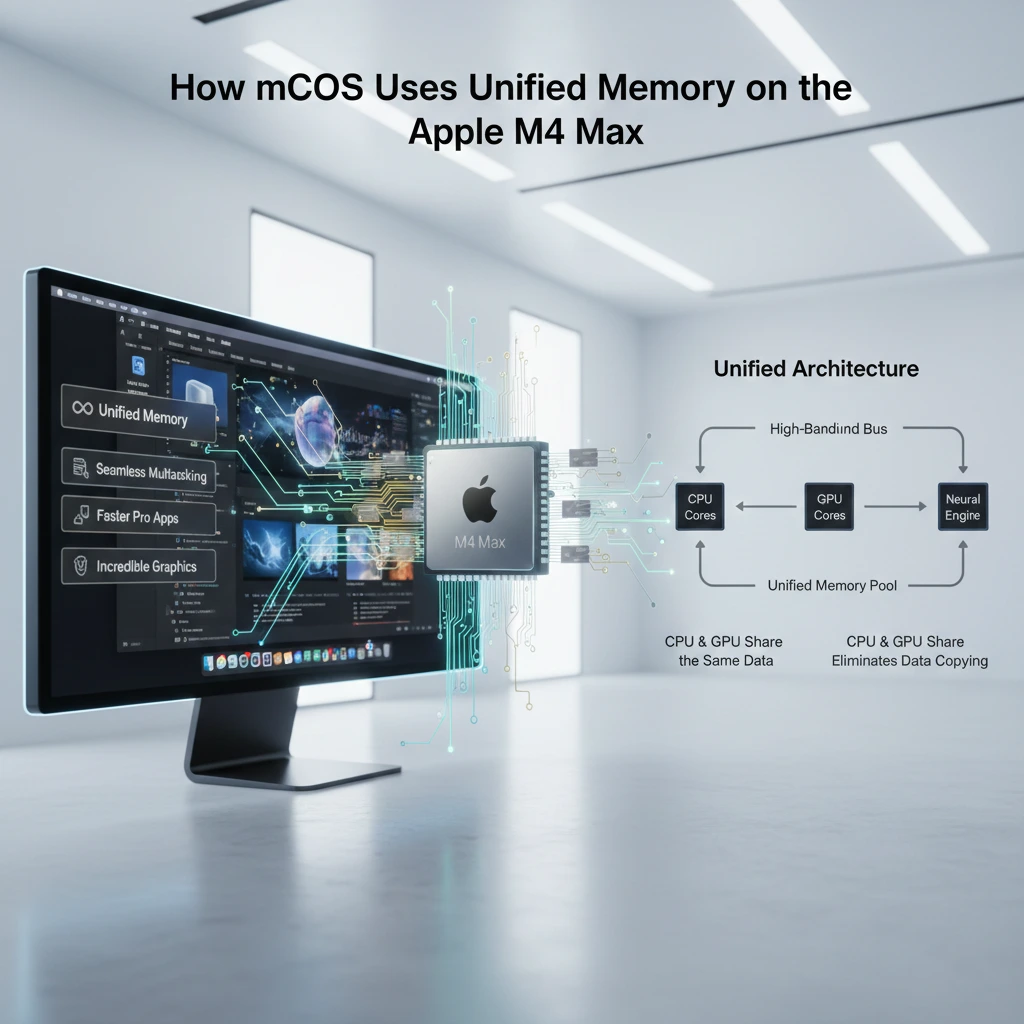
Apple’s transition to Apple silicon reshaped how memory is handled in modern computers. With the introduction of the Apple M4 Max, macOS continues to rely on a unified memory architecture that merges CPU, GPU, and system memory into a single high-bandwidth pool. This design is not just a technical refinement it directly changes how professional applications perform under heavy workloads such as 8K video editing, large-scale 3D rendering, and AI-driven workflows.
Unlike traditional PCs where RAM and VRAM are physically separate, unified memory on Apple silicon is shared across all processing units. That means when macOS allocates memory to an application, it doesn’t need to duplicate data between the CPU and GPU. This reduces latency, lowers power consumption, and improves efficiency across demanding tasks.
The Core Concept of Unified Memory
Unified memory in Apple silicon integrates LPDDR memory directly into the system-on-a-chip (SoC) package. In earlier Intel-based Macs, discrete GPUs had their own VRAM, and copying large datasets between CPU RAM and GPU VRAM was both time-consuming and power-hungry.
With M-series chips
- CPU cores
- GPU cores
- Neural Engine
- Media Engine
- I/O controllers
All access the same memory pool through a high-bandwidth fabric.
Memory Bandwidth and Real-World Implications
The M4 Max significantly increases memory bandwidth compared to standard M4 or M4 Pro variants. High bandwidth is critical for:
- Real-time 8K video playback in Final Cut Pro
- Large 3D scenes in Blender
- Massive RAW image catalogs in Adobe Lightroom
When macOS schedules tasks, it dynamically allocates unified memory based on workload priority. Professional apps benefit because textures, project files, and compute buffers exist in one shared address space.
Memory Compression and Swap in macOS
macOS enhances unified memory with
- Memory compression. reducing inactive data size in RAM
- Fast NVMe swap. temporarily using ultra-fast SSD storage
- App Nap & memory pressure management
This ensures that even when running multiple heavy applications simultaneously, performance degradation remains controlled.
Inside the Apple M4 Max: Memory Architecture for Professional Apps
The memory architecture of the M4 Max is designed around scalability and parallelism. Apple continues its approach of tightly integrating memory modules directly onto the chip package, shortening electrical pathways and reducing latency.
On-Package Memory Design
The M4 Max uses high-speed LPDDR memory modules positioned close to the SoC.
This layout
- Minimizes signal travel distance
- Reduces power draw
- Increases sustained throughput
For professionals, this means smoother timeline scrubbing, faster compilation times, and responsive rendering pipelines.
CPU, GPU, and Neural Engine Coordination
Professional workflows increasingly rely on hybrid processing
- CPU for logic and sequencing
- GPU for rendering and graphics acceleration
- Neural Engine for machine learning tasks
In apps like Adobe Premiere Pro and DaVinci Resolve, unified memory ensures frames analyzed by AI tools don’t need duplication before GPU processing.
Media Engine Acceleration
The M4 Max includes dedicated hardware for encoding and decoding ProRes and HEVC formats. When working in Logic Pro or Final Cut Pro, unified memory allows video frames and audio buffers to flow seamlessly between engines without memory copying bottlenecks.
Optimizing Pro Apps with Unified Memory on the M4 Max

Professional macOS applications are increasingly optimized for Apple silicon’s architecture. Developers use Metal and Apple’s unified memory APIs to minimize overhead.
The Apple M4 Max isn’t just a fast chip it’s designed to make professional applications run smarter and smoother. At the heart of its power lies unified memory, a shared high-speed pool that the CPU, GPU, and Neural Engine can all access simultaneously.
This design eliminates the delays and duplication of traditional memory setups, letting demanding apps like video editors, 3D renderers, and machine-learning tools work at full efficiency.
For professionals, this means larger projects, more complex workflows, and higher-quality outputs can be handled without slowdowns or crashes.
macOS is optimized to take full advantage of the M4 Max’s unified memory, allowing apps to quickly access the data they need while keeping the system responsive. leveraging this architecture, users can optimize performance, reduce bottlenecks, and make the most of every byte of memory the M4 Max offers.
Metal and Unified Memory
Metal allows GPU resources to access shared memory buffers directly. Instead of uploading textures into a separate VRAM pool, textures remain in unified memory and are referenced by the GPU.
This results in.
- Lower rendering latency
- Higher frame consistency
- Reduced memory fragmentation
Large Project Handling
In creative applications.
- 8K timelines
- Multi-layer compositions
- Complex After Effects scenes
Unified memory ensures the dataset stays contiguous and accessible. This improves cache coherence and reduces thrashing under heavy loads.
AI-Assisted Features
Modern pro apps rely on AI-driven tools.
- Object removal
- Noise reduction
- Scene detection
These tasks benefit from unified memory because the Neural Engine accesses the same memory pool as CPU and GPU resources.
Apple M4 Max Performance Explained Through Memory Management
Performance on the M4 Max is not solely about core count it’s about how efficiently memory feeds those cores. The Apple M4 Max delivers industry-leading performance, and much of its power comes from how it manages memory.
Unlike traditional systems where CPU and GPU have separate memory pools, the M4 Max uses unified memory, allowing all components to access the same high-speed data efficiently. This design is key to handling professional workloads without slowdown.
Here’s how memory management drives performance on the M4 Max
- Scalability: The M4 Max supports up to 128 GB of unified memory, meaning even the most memory-intensive applications can run without hitting limits.
- Unified Memory Architecture: The CPU, GPU, and Neural Engine share a single pool of memory. This eliminates duplication, reduces latency, and ensures faster data access for demanding tasks.
- High Bandwidth: With extremely high memory bandwidth, large datasets like 8K video, 3D models, or machine-learning data can be processed quickly and smoothly.
- Efficient Workload Handling: macOS intelligently allocates memory where it’s needed most. Heavy professional apps don’t compete for separate memory pools, so multitasking remains smooth.
High-Bandwidth Architecture
Memory bandwidth determines how fast data moves between processors. For workloads like 3D modeling in Cinema 4D, bandwidth directly impacts viewport responsiveness and texture loading.
Reduced Latency
Shorter memory paths mean:
- Faster frame updates
- Reduced compile times in Xcode
- Improved scientific simulations
Energy Efficiency
Unified memory reduces duplication and unnecessary transfers. This leads to:
- Lower thermal output
- Sustained performance under long renders
- Longer battery life on MacBook Pro models
Unified Memory in Action: Running Heavy macOS Applications on M4 Max
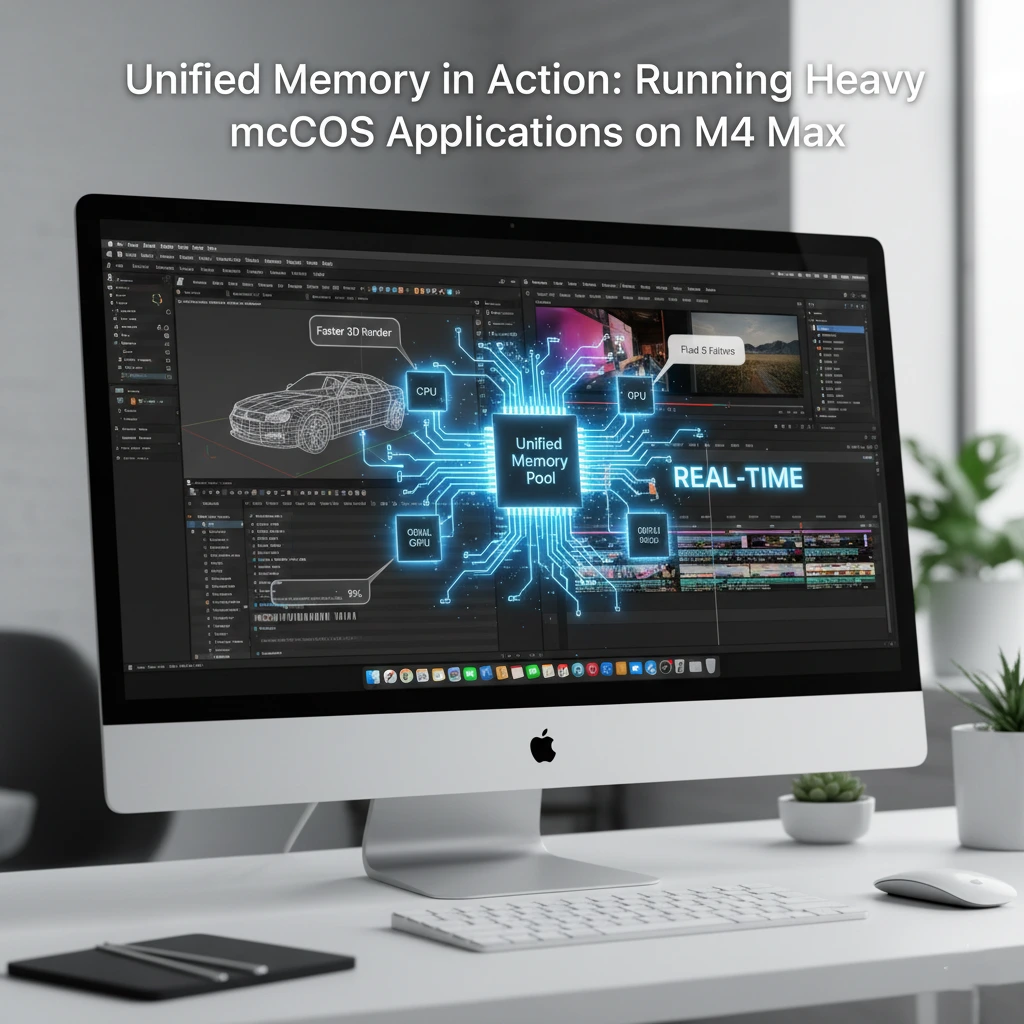
The real test of unified memory appears when running multiple heavy apps simultaneously. When it comes to handling demanding macOS applications, the Apple M4 Max shines thanks to its unified memory system.
Instead of separating memory between the CPU and GPU, the M4 Max allows all components to share the same high-speed memory, making data access faster and more efficient.
Here’s what this means in real-world use
- Multitasking Made Easy. Running several pro apps simultaneously no longer overwhelms the system; memory is dynamically allocated where it’s needed most.
- Seamless Video Editing. Large 4K or 8K projects can be played back and rendered without lag, even when multiple effects are applied.
- Smooth 3D Rendering. Complex 3D models and animations benefit from quick GPU access to shared memory, reducing rendering times.
- Efficient Machine Learning. Training models or running AI workloads is faster because the Neural Engine, CPU, and GPU can all tap into the same dataset without delays.
M4 Max’s unified memory allows heavy professional applications to run faster, smoother, and more reliably, making it a game-changer for creative professionals, developers, and anyone relying on macOS for high-performance work.
Multi-App Workflows
Consider a professional video editor running.
- Final Cut Pro
- Adobe After Effects
- Blender
Unified memory enables these apps to coexist efficiently because macOS dynamically allocates resources based on memory pressure.
Large Dataset Handling
Data scientists working in.
- TensorFlow
- MATLAB
Benefit from unified memory as large datasets remain accessible across processing units.
Virtual Machines and Containers
Developers running Docker containers or virtualized environments also gain from unified memory’s dynamic allocation model.
What Makes the M4 Max Ideal for Professional Workflows
The M4 Max stands out because it balances raw performance and intelligent memory design. The Apple M4 Max stands out as a powerhouse for professional workflows thanks to several key factors that set it apart from conventional chips.
First, its high-performance CPU and GPU cores deliver exceptional speed, allowing developers, video editors, and 3D artists to tackle demanding tasks without delays.
Second, the unified memory architecture ensures all components CPU, GPU, and Neural Engine can access the same high-speed memory, eliminating bottlenecks and enabling seamless multitasking.
Another crucial factor is the extensive memory bandwidth, which allows large files and complex datasets to move rapidly across the system, whether rendering 8K video, compiling massive codebases, or running AI models.
Additionally, macOS optimization ensures that professional applications can fully leverage the chip’s capabilities, with dynamic memory allocation and intelligent workload management keeping performance consistent under heavy use.
Scalability
Configurations offer high unified memory capacities
enabling
- Massive creative projects
- Complex engineering simulations
- Multi-camera 8K editing
Consistent Performance
Unlike discrete GPU systems that throttle under memory bottlenecks, unified memory ensures consistent throughput across workflows.
Ecosystem Integration
macOS is optimized for Apple silicon. Frameworks like Metal, Core ML, and AVFoundation are designed to leverage unified memory fully.
Managing Intensive Workloads on macOS with the M4 Max
Heavy workloads demand intelligent system-level management. The Apple M4 Max excels at handling demanding macOS workloads thanks to its unified memory, high-performance CPU and GPU cores, and efficient macOS optimization.
Large projects like 8K video, 3D rendering, or AI tasks run smoothly, while multitasking remains seamless. Its combination of speed, stability, and energy efficiency makes the M4 Max ideal for professional users pushing heavy workloads.
Activity Monitor and Memory Pressure
macOS provides real-time memory pressure indicators. This helps professionals identify bottlenecks early.
Swap Performance
Apple’s fast NVMe SSDs minimize performance penalties when swap memory activates.
Best Practices
- Close unused heavy applications
- Use optimized media formats
- Keep macOS updated
Memory and Performance Strategies in Apple’s M4 Max Chip
Apple’s strategy with M4 Max emphasizes efficiency over brute-force hardware separation. The Apple M4 Max achieves outstanding performance through smart memory and processing strategies. Its unified memory architecture allows the CPU, GPU, and Neural Engine to access a single high-speed memory pool, reducing delays and improving efficiency.
macOS further optimizes performance by dynamically managing workloads, ensuring demanding apps like video editors, 3D software, and AI tools run smoothly. Combined with high memory bandwidth and energy-efficient design, these strategies make the M4 Max a powerful, reliable chip for professional workflows.
Unified Cache Hierarchy
Shared caches improve
- CPU-GPU communication
- Texture streaming
- Shader compilation
Pro Workflow Scaling
As projects grow, unified memory scales gracefully compared to traditional discrete GPU systems.
Long-Term Implications
Apple’s unified memory model signals a future where
- Memory pools are shared across compute engines
- AI tasks integrate seamlessly into creative workflows
- Energy efficiency remains central to performance
Conclusion
The Apple M4 Max represents more than an incremental upgrade it reflects Apple’s continued commitment to unified memory architecture as the backbone of professional computing on macOS.
eliminating separate RAM and VRAM pools, increasing memory bandwidth, and tightly integrating CPU, GPU, and Neural Engine access, the M4 Max delivers tangible benefits for professional applications. From 8K video editing and 3D rendering to machine learning and scientific computing, unified memory enables smoother performance, reduced latency, and greater efficiency.