Android overheating is more than just an annoyance it can slow down your phone, drain the battery, and even damage internal components over time. Whether you’re gaming, streaming videos, or just using multiple apps at once, a hot phone can be frustrating and worrying.
Overheating issues are usually preventable and fixable without expensive repairs. In this guide, we’ll walk you through safe and easy methods to stop your Android from overheating, covering practical tips, troubleshooting techniques, and long-term strategies to keep your device cool and running smoothly.
Introduction: Why Android Phones Overheat
Modern smartphones are powerful handheld computers. From high-resolution cameras and gaming graphics to artificial intelligence features and multitasking capabilities, Android devices handle a huge number of tasks every day. While this performance makes smartphonesincredibly useful, it also means they generate heat during normal operation.
A small amount of heat is completely normal. Every electronic device produces heat because electrical energy is converted into processing power. Inside an Android phone, components such as the processor (CPU), graphics processor (GPU), battery, and wireless radios work continuously. When these components run at higher loads, they naturally become warmer.
However, excessive heat can become a problem. If an Android phone overheats regularly, it may lead to several issues.
- Reduced device performance
- Shorter battery lifespan
- Unexpected app crashes
- Slower charging speeds
- Automatic shutdowns to prevent damage
In extreme cases, overheating may even affect internal components or cause long-term hardware degradation. Manufacturers design smartphones with temperature control systems, but improper usage habits, environmental factors, or software problems can still cause overheating.
Another reason Android devices become hot is the compact design of modern smartphones. Unlike desktop computers with fans and large cooling systems, phones rely on passive cooling. This means they dissipate heat through the metal frame, internal heat spreaders, and the device’s body.
Environmental conditions also play a role. Using a smartphone under direct sunlight, high outdoor temperatures, or inside a car during summer can quickly raise internal temperatures.
Most overheating issues can be prevented with simple usage adjustments and proper device management. understand what causes heat buildup and how to manage it effectively, users can protect their smartphones and maintain smooth performance.
This guide explains why Android phones overheat, how to prevent it, and safe methods to cool down your device. These practical strategies will help extend the life of your phone while ensuring safe and reliable performance.
Common Causes of Android Overheating
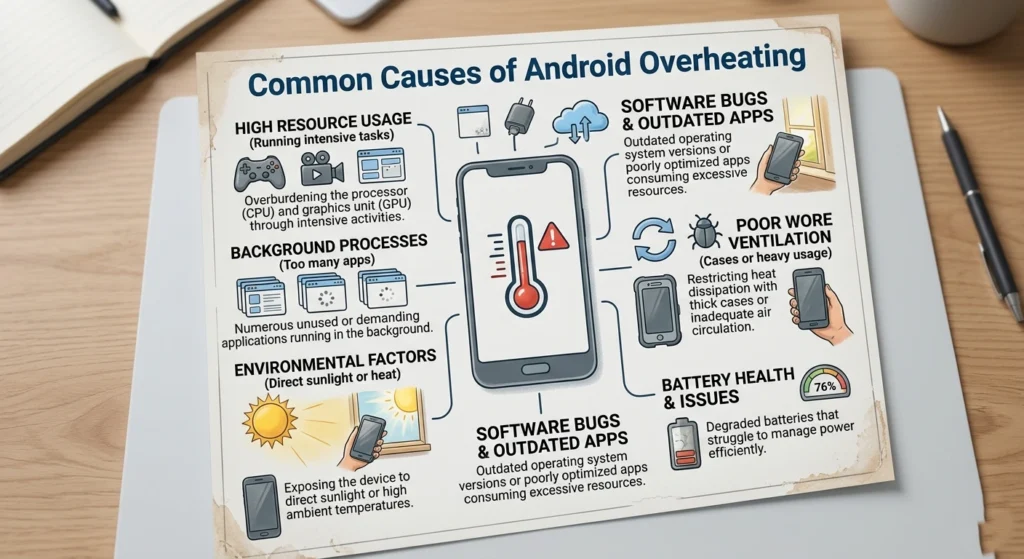
Before solving overheating problems, it is important to understand what actually causes them. Most cases of overheating are linked to heavy processing activity, environmental conditions, or inefficient background processes.
Below are the most common reasons Android devices become excessively hot.
Heavy App Usage and Multitasking
One of the leading causes of overheating is running multiple demanding apps simultaneously. Applications such as games, video editors, and high-resolution streaming platforms require large amounts of processing power.
When several apps run at the same time.
- The CPU and GPU operate at higher speeds
- Memory usage increases
- The device generates more heat
Mobile games with advanced graphics are especially demanding. Long gaming sessions can push a phone’s processor close to its maximum capacity.
Signs of this type of overheating include.
- The phone becoming warm near the camera or processor area
- Reduced frame rates in games
- Slower performance after extended usage
Closing unused apps and taking short breaks during heavy tasks can significantly reduce heat buildup.
Poor Network Connectivity
Weak cellular or Wi-Fi signals can also cause overheating. When a phone struggles to maintain a stable connection, it repeatedly increases signal strength and searches for better network coverage.
This constant communication with nearby cell towers or routers forces the device’s wireless radio hardware to work harder.
Common scenarios include.
- Using the phone in areas with poor reception
- Traveling between network zones
- Using mobile data in underground locations
As the phone continuously attempts to reconnect, battery consumption increases, which leads to higher temperatures.
Charging Habits and Battery Stress
Charging a smartphone naturally generates heat. However, certain charging behaviors can cause excessive temperature increases.
Examples include.
- Using the phone heavily while charging
- Charging with damaged cables or low-quality adapters
- Charging the phone under pillows or blankets
- Keeping the device plugged in after reaching full battery
Lithium-ion batteries operate best within a specific temperature range. Heat combined with charging stress accelerates battery wear, which can reduce battery capacity over time.
To minimize risk, it is recommended to avoid intensive tasks such as gaming or video editing while charging.
Background Processes and Apps
Many Android apps continue running in the background even when they are not actively used. These background processes may perform tasks such as syncing data, updating content, or checking notifications.
While each task may seem small, dozens of background processes running simultaneously can increase processor workload.
Over time this can lead.
- Higher CPU usage
- Faster battery drain
- Increased device temperature
Users often overlook these hidden processes because they occur silently. Managing background apps through system settings can significantly improve device temperature control.
Environmental Temperature
External temperature plays a major role in smartphone heat levels. Android devices rely on passive heat dissipation, which means heat escapes through the device’s outer surface.
If the surrounding environment is already hot, the phone cannot release heat efficiently.
Common environmental causes.
- Using the phone under direct sunlight
- Leaving the device inside a parked car
- Using the phone outdoors during extreme summer heat
Software Bugs or System Issues
Occasionally, overheating may result from software problems or inefficient system updates. A faulty app or system process may continuously run in the background, consuming resources without stopping.
Symptoms of software-related overheating.
- The phone heating up even during light usage
- Sudden battery drain
- Increased system resource usage
Keeping the operating system and apps updated helps resolve many of these issues.
How to Prevent Your Android from Overheating
Preventing overheating is far easier than fixing it after it occurs. adjusting everyday habits and maintaining proper device settings, users can keep their Android phones running at safe temperatures.
Below are practical strategies that help prevent excessive heat buildup.
Manage App Usage Carefully
One of the most effective ways to prevent overheating is limiting heavy applications when possible. High-performance games, augmented reality apps, and video editing tools push processors to their limits.
If you frequently use demanding apps.
- Take short breaks between sessions
- Close apps once you finish using them
- Avoid running multiple heavy apps at once
These simple actions allow the processor to cool down and reduce internal temperature buildup.
Keep Your Device Updated
Software updates often include performance improvements and bug fixes. Developers frequently optimize apps to reduce resource consumption and improve efficiency.
Updating the Android operating system can also improve thermal management, as manufacturers sometimes adjust power usage and CPU behavior in new versions.
Regular updates help ensure your device runs efficiently and avoids unnecessary processing strain.
Control Background Activity
Background apps silently consume processing power. Reviewing which apps run in the background can significantly reduce device temperature.
helpful steps.
- Checking battery usage statistics
- Restricting background activity for rarely used apps
- Disabling unnecessary auto-syncfeatures
limiting unnecessary background operations, the processor and battery experience less workload, resulting in lower heat generation.
Avoid Using Phones in Extreme Heat
Environmental conditions have a strong influence on device temperature. Whenever possible, avoid using your phone in high-temperature environments.
Practical precautions.
- Keeping the phone out of direct sunlight
- Avoiding extended usage in hot outdoor settings
- Removing thick cases when the device becomes warm
These small adjustments help the phone dissipate heat more efficiently.
Monitor Charging Habits
Healthy charging habits play a major role in temperature control.
Experts recommend the following practices.
- Use reliable charging cables and adapters
- Avoid gaming or heavy app usage while charging
- Charge the device on a flat, ventilated surface
Charging in cool environments helps maintain battery health and reduces the risk of overheating.
Safe Ways to Cool Down an Overheating Android
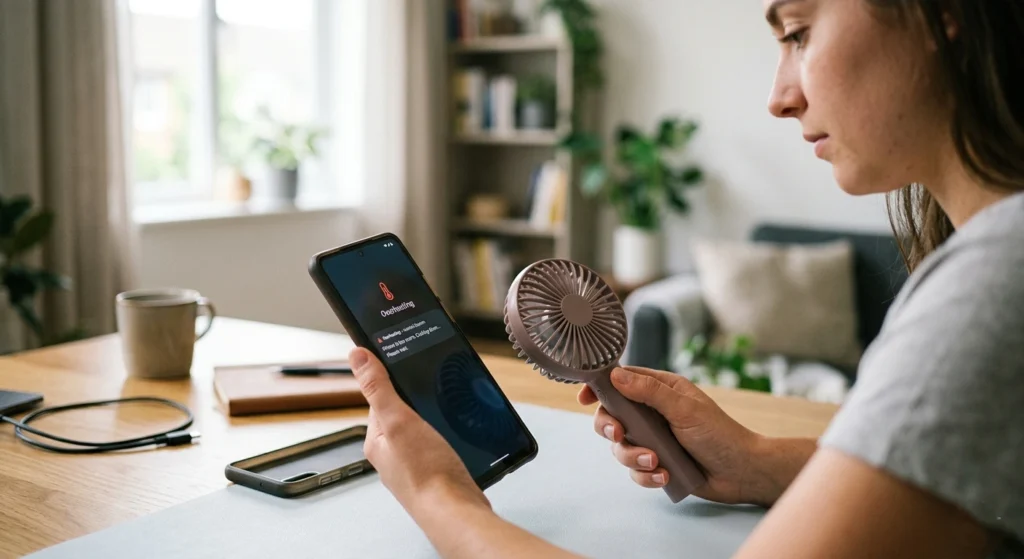
If your phone becomes unusually hot, the most important step is cooling it down safely. Improper cooling methods can cause more damage than the heat itself.
Below are safe methods to reduce device temperature.
Stop Intensive Tasks Immediately
The first step is to pause any demanding activities. Close high-performance apps such as games, video editing tools, or streaming platforms.
This reduces CPU and GPU workload, allowing the device to gradually return to normal temperatures.
Turn Off Wireless Connections
Wireless radios such as Wi-Fi, Bluetooth, and mobile data consume power and generate heat when actively transmitting data.
Temporarily disabling these connections can reduce internal processing activity and allow the device to cool more quickly.
Move the Phone to a Cooler Environment
If the phone overheats outdoors or in a warm environment, move it to a cooler indoor location.
Avoid placing the phone in extremely cold areas such as refrigerators or freezers. Sudden temperature changes may cause internal condensation, which can damage electronic components.
Instead, allow the device to cool naturally at room temperature.
Remove Protective Cases Temporarily
Some phone cases trap heat, especially those made from thick materials. Removing the case allows heat to escape more efficiently through the device’s body.
Once the phone cools down, the case can be placed back on the device.
Turn the Device Off for a Short Time
If overheating persists, turning off the phone temporarily can help. When powered off, most internal processes stop, giving the processor and battery time to cool.
Even 10–15 minutes of rest can significantly reduce internal temperatures.
Tips for Optimizing Your Android’s Performance
Optimizing performance helps prevent overheating by ensuring the device runs efficiently.
Reduce Visual Effects and Animations
Android includes animations and visual effects that enhance user experience. However, these effects require additional processing power.
Reducing animation settings can.
- Lower GPUworkload
- Improve system responsiveness
- Reduce heat generation
This adjustment is particularly helpful for older devices.
Clean Up Storage Space
A nearly full storage drive can slow down system performance and increase processing workload.
Maintaining sufficient free storage space allows the system to manage files more efficiently. Deleting unnecessary files or large unused media can improve overall performance.
Restart Your Device Regularly
Restarting the phone occasionally helps refresh system processes and clear temporary memory usage.
This simple step can.
- Resolve minor software glitches
- Close stuck background processes
- Improve system efficiency
Many performance issues disappear after a simple restart.
Limit Long Gaming Sessions
Mobile gaming is one of the most demanding activities for smartphones. Graphics processing generates significant heat, especially during long gaming sessions.
Taking regular breaks allows the device to cool and prevents excessive thermal stress.
When to Seek Professional Help for Overheating Issues
While most overheating problems can be solved through better usage habits, some situations may indicate hardware or battery issues.
Users should consider professional inspection if they notice.
- The phone overheating during very light usage
- The battery swelling or deforming
- The device shutting down repeatedly due to heat
- Persistent overheating even after closing apps
In such cases, internal components such as the battery or thermal sensors may require professional evaluation.
Ignoring serious overheating symptoms may lead to long-term damage. If the device frequently becomes dangerously hot, seeking assistance from a qualified technician is the safest approach.
Conclusion: Keep Your Android Cool and Safe
Overheating is a common concern for smartphone users, but it is usually manageable with the right approach. Understanding how and why Android devices generate heat allows users to make smarter choices about device usage.
Most overheating problems are linked to heavy workloads, background processes, poor connectivity, or environmental conditions. managing these factors, users can keep their smartphones operating safely.
Simple habits such as limiting intensive apps, maintaining proper charging practices, managing background activity, and avoiding extreme heat can significantly reduce the risk of overheating.
When overheating does occur, using safe cooling methods like stopping demanding tasks and allowing the device to rest can quickly restore normal temperatures.