Compiling the Linux kernel from source can significantly boost your system’s performance by tailoring the kernel to your specific hardware and needs. building the kernel yourself, you gain control over which features are included, allowing you to remove unnecessary modules, enable performance-boosting optimizations, and ensure better compatibility with your hardware. This process is particularly beneficial for advanced users, developers, or system administrators looking to fine-tune their system’s speed, stability, and security.
Introduction to Compiling the Linux Kernel from Source

The Linux kernel is the core of every Linux-based operating system. It acts as the bridge between your hardware and user applications, managing CPU scheduling, memory allocation, device drivers, filesystems, and networking.
When most users install distributions like Ubuntu, Fedora, or Debian, they receive a precompiled, general-purpose Linux kernel. These kernels are designed to support a wide range of hardware configurations, meaning they include many drivers and features you may never use.
Compiling the Linux kernel from source allows you to.
- Remove unnecessary drivers and subsystems
- Optimize for your specific CPU architecture
- Enable advanced performance schedulers
- Apply custom patches
- Reduce latency and memory overhead
Instead of relying on a “one-size-fits-all” build, you create a kernel tailored precisely to your hardware and workload.
Why Compile the Linux Kernel for Maximum Performance?
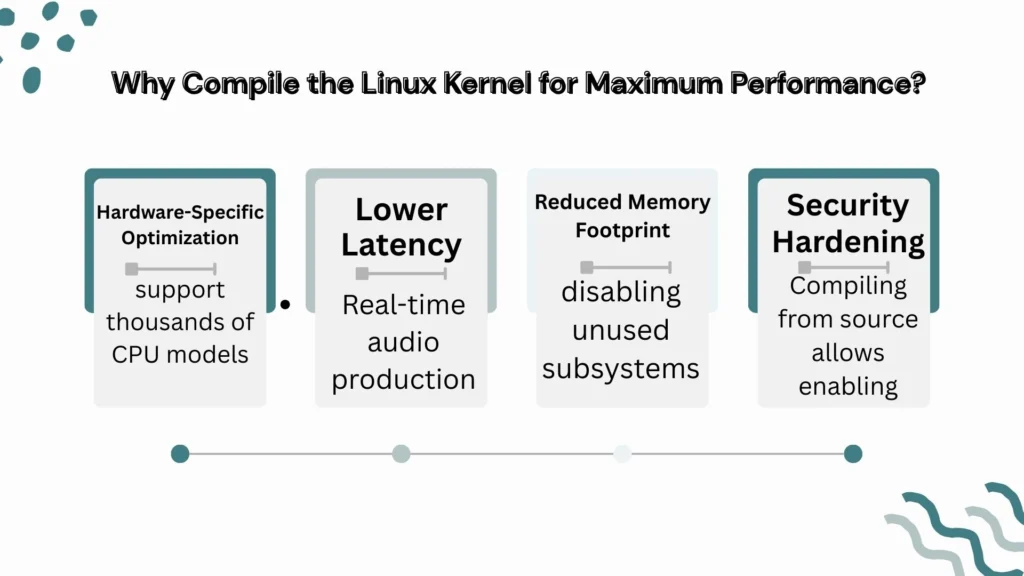
Compiling the Linux kernel from source is not mandatory for everyday computing. However, in certain scenarios, it delivers measurable improvements.
1. Hardware-Specific Optimization
Distribution kernels must support thousands of CPU models. When you compile manually.
- Select your exact CPU family (e.g., Intel Core, AMD Ryzen)
- Enable architecture-specific instruction sets (AVX, SSE4, etc.)
- Remove unused hardware drivers
This reduces kernel size and can improve scheduling efficiency.
2. Lower Latency
For workloads like.
- Real-time audio production
- High-frequency trading systems
- Gaming
- Database servers
You can enable.
- PREEMPT model tuning
- High-resolution timers
- Tickless kernel configuration
This reduces context switching overhead and improves responsiveness.
3. Reduced Memory Footprint
disabling unused subsystems (Bluetooth, legacy filesystems, exotic drivers), you can significantly reduce memory consumption especially valuable for embedded systems or lightweight servers.
4. Security Hardening
Compiling from source allows enabling.
- Stack protection
- Kernel address space randomization
- Restricting module loading
You gain precise control over security posture.
Prerequisites Before Building the Linux Kernel
Before compiling the Linux kernel, ensure your system is prepared.
System Requirements
| Component | Recommended Minimum |
|---|---|
| RAM | 8 GB (16 GB ideal) |
| Storage | 20 GB free space |
| CPU | Multi-core processor |
| Time | 15–60 minutes depending on CPU |
Kernel compilation is CPU-intensive. On modern 8-core systems, it usually completes in 10–25 minutes.
Required Packages
On Debian/Ubuntu-based systems.
sudo apt update
sudo apt install build-essential libncurses-dev bison flex libssl-dev libelf-dev bc
On Fedora.
sudo dnf groupinstall "Development Tools"
sudo dnf install ncurses-devel bison flex elfutils-libelf-devel openssl-devel bc
These packages provide compilers, build tools, and libraries required to compile the Linux kernel successfully.
Backup Recommendation
Before proceeding:
- Backup important data
- Keep at least one working kernel installed
- Ensure GRUB recovery options are enabled
Kernel misconfiguration can prevent booting, so safety preparation is critical.
Downloading the Latest Linux Kernel Source Code
The official Linux kernel source is maintained at The Linux Kernel Organization via kernel.org.
Download via Browser
Visit kernel.org and download the latest stable release.
Download via Terminal
wget https://cdn.kernel.org/pub/linux/kernel/v6.x/linux-6.x.tar.xz
tar -xf linux-6.x.tar.xz
cd linux-6.x
Always choose the latest stable version, not the release candidate (RC), for production systems.
Configuring the Linux Kernel for Performance Optimization
This is the most critical step when compiling the Linux kernel.
Starting With Existing Configuration
To use your current config as a base.
cp /boot/config-$(uname -r) .config
make oldconfig
This prevents starting from scratch.
Launch Configuration Menu
make menuconfigThis opens a text-based configuration interface.
CPU Optimization
Navigate to.
Processor Type and Features → Processor Family
Select your exact CPU model.
Enable:
- Symmetric multi-processing (SMP)
- High-resolution timer support
- Preemption model (Low-latency desktop or fully preemptible if needed)
Disable Unnecessary Drivers
Under: Device Drivers
Disable.
- Unused Wi-Fi chipsets
- Old SCSI controllers
- FireWire if unused
- Legacy filesystems
Reducing kernel size improves load times and memory efficiency.
Filesystem Optimization
Enable only required filesystems (e.g., ext4, XFS).
Disable legacy systems like Minix or AmigaFS unless needed.
Applying Custom Performance Patches
Advanced users sometimes apply patches to enhance scheduling or latency.
Common examples include.
- PREEMPT_RT patch (for real-time systems)
- Scheduler tweaks
- CPU frequency scaling modifications
Apply patches.
patch -p1 < patch-file.patchOnly apply patches compatible with your kernel version.
Improper patches can cause build failures or instability.
Compiling the Linux Kernel (Step-by-Step)
Once configuration is complete.
Step 1: Clean Old Builds
make cleanStep 2: Compile
Use all CPU cores.
make -j$(nproc)This speeds up compilation dramatically.
Step 3: Compile Modules
make modulesStep 4: Install Modules
sudo make modules_installStep 5: Install Kernel
sudo make installThis installs the kernel and updates boot files.
Installing the Custom Linux Kernel
After installation.
- Kernel image is copied to
/boot - System.map is installed
- Initramfs may be generated automatically
On some systems, manually generate initramfs:
sudo update-initramfs -c -k 6.xEnsure the new kernel appears in /boot.
Updating the Bootloader (GRUB)
Most distributions use GNU GRUB as the default bootloader.
Update GRUB.
sudo update-grubOn Fedora.
sudo grub2-mkconfig -o /boot/grub2/grub.cfgReboot and select your new kernel from the GRUB menu.
Always keep the previous kernel as fallback.
Verifying and Benchmarking Kernel Performance

After reboot.
uname -rConfirm the new kernel version.
Benchmark Tools
You can compare performance using:
htopfor CPU behaviorperffor kernel profilingsysbenchfor CPU testing
Measure.
- Boot time
- Context switch latency
- CPU scheduling performance
- Memory usage
Real-world performance gains vary. In optimized builds, users report 3–10% efficiency improvement depending on workload.
Troubleshooting Common Kernel Compilation Issues
1. Missing Dependencies
Error example:
fatal error: openssl/ssl.h: No such file or directorySolution: Install missing development libraries.
2. Kernel Panic on Boot
Causes.
- Missing filesystem support
- Incorrect CPU configuration
- Broken initramfs
Boot into old kernel and reconfigure.
3. Compilation Fails Midway
Often cause.
- Insufficient RAM
- Corrupted source files
- Incompatible patches
Run.
make mrproperThen reconfigure.
Maintaining and Updating Your Custom Linux Kernel
Compiling once is not enough. Security patches and performance updates are released frequently.
Best Practices
- Track stable releases
- Reuse old
.configwithmake oldconfig - Remove outdated kernel images
- Monitor CVE patches
Kernel updates may include scheduler improvements and security hardening.
Conclusion
Compiling the Linux kernel from source is not necessary for everyone. Modern distributions already ship well-optimized kernels suitable for most users.
However, for:
- Performance enthusiasts
- Low-latency professionals
- Server administrators
- Embedded system developers
The benefits can be substantial.
You gain full control over.
- Hardware optimization
- Security settings
- Scheduler behavior
- Memory management
If maximum performance, customization, and system-level control matter to you, compiling the Linux kernel from source is a powerful and rewarding process.
For casual users, distribution kernels remain sufficient. For advanced users, building your own Linux kernel unlocks the true depth of Linux customization.